Keep your computer security up to date.
Check the key protections on your computer, fix what needs attention, and know when to check again.
Check the key protections on your computer, fix what needs attention, and know when to check again.
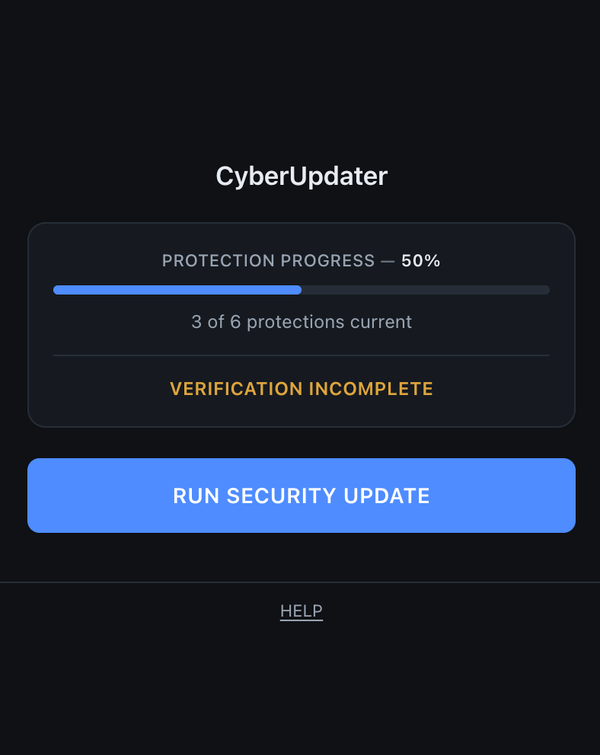
It’s easy to lose track of updates, backups, firewall settings and other protections. CyberUpdater gives you one place to check the key protections on your computer, see what needs attention, and know when to check them again.
CyberUpdater walks you through the important protections on your computer—nothing extra, nothing confusing.
If something needs attention, CyberUpdater gives you step-by-step help and lets you mark as Current or Action Needed.
CyberUpdater tracks when each protection is due to be checked again. Come back before anything drifts out of date.
Guides you to check whether your computer and Chrome are up to date.
Guides you through checking that two-step verification is enabled on your important accounts.
Guides you to check whether you have a working backup system.
Shows you where to check that your computer's built-in firewall is turned on.
Guides you to check screen lock and device encryption.
Guides you through reviewing extensions you no longer use or recognise.
View what’s current, what needs a fix, and what’s due for a check soon. Mark each protection as up to date or needing action after you handle it. CyberUpdater remembers your progress—even if you close your browser.
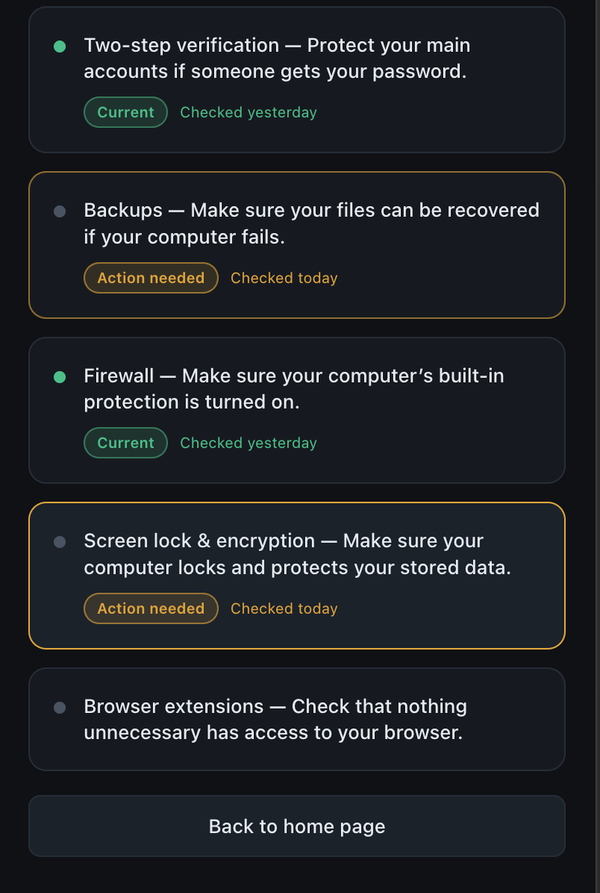
CyberUpdater detects Mac or Windows and shows OS-specific instructions where the settings differ.
The CyberUpdater extension stores your protection status locally in your browser. It does not scan your files or collect your browsing history.
There’s no login or signup for the extension. All your data stays local.
CyberUpdater does not scan, snoop, or guess. You check protections and mark them yourself with plain-English help.
Keep your computer security up to date.Six guided protection checks
Mac and Windows-specific guidance
Computer Protection Status
Current / Action Needed tracking
Shows when protections need checking again
Plain-English instructions
Install the Chrome extension from the Web Store in two clicks. That’s it.
CyberUpdater is built for Chrome.
No. CyberUpdater is not a scanner or antivirus. You use it to track and record what you’ve checked, with clear help.
The extension stores your protection status locally in Chrome. It does not scan your files or collect your browsing history.